Add an AI Receptionist to Squarespace
Paste a single code snippet into your Squarespace site and give visitors a direct line to your AI receptionist. No apps, no plugins.
Get your embed code in 3 clicks
Grab the snippet from your dashboard and paste it into Squarespace Code Injection
Go to Appointment Types
In your Sales Connect AI dashboard, navigate to the Appointment Types page.
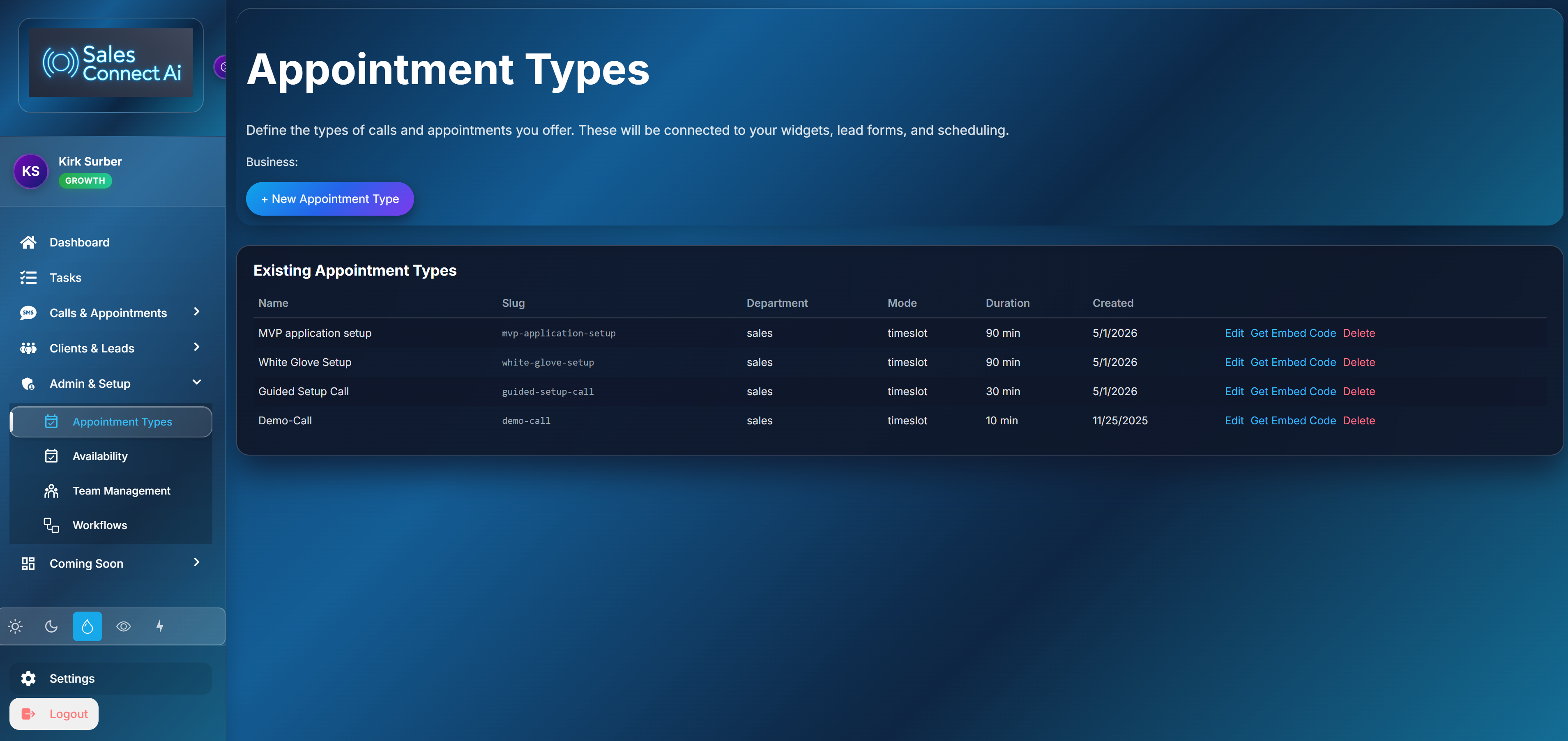
Click Get Embed Code
Click the “Get Embed Code” button. A modal will open letting you choose your widget type.

Paste into Code Injection
Copy the snippet. In Squarespace, go to Settings → Advanced → Code Injection. Paste in the Footer field.
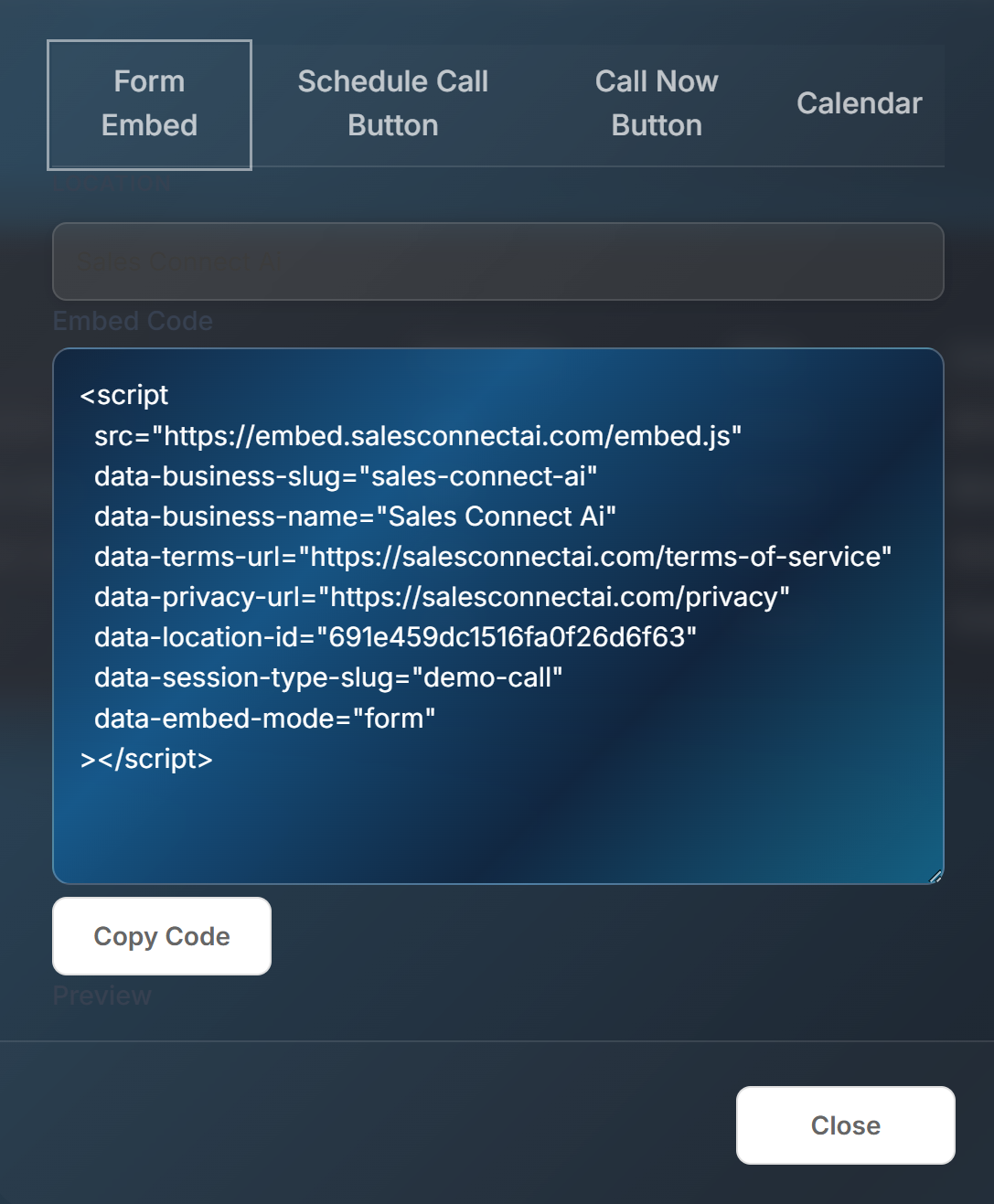
Placement options
Choose where the widget appears on your Squarespace site
Site-wide (Code Injection)
Adding to the Footer Code Injection field puts the button on every page. Best for businesses that want to be reachable from anywhere.
Single page (Code Block)
Add a Code Block to a specific page in the Squarespace editor. Good for landing pages or contact pages only.
Frequently Asked Questions
Common questions about the Squarespace integration
Do I need a Business plan?
Code Injection requires a Squarespace Business or Commerce plan. For Personal plans, use a Code Block on individual pages.
Will it slow down my site?
No. The embed script loads asynchronously and is lightweight. It won't affect your page speed scores.
Can I customize the button?
Yes. Choose your widget type in the embed modal — button style, label text, and call-to-action are all configurable.
Turn your Squarespace site into a lead machine
Visitors click, AI answers, appointments get booked — all from your Squarespace site, 24/7.
Get a Live Demo