Add an AI Receptionist to Wix
Add a call widget to your Wix website so visitors can connect with your AI receptionist instantly. No Wix apps or monthly add-ons needed.
Get your embed code in 3 clicks
Grab the snippet from your dashboard and paste it into Wix Custom Code
Go to Appointment Types
In your Sales Connect AI dashboard, navigate to the Appointment Types page.
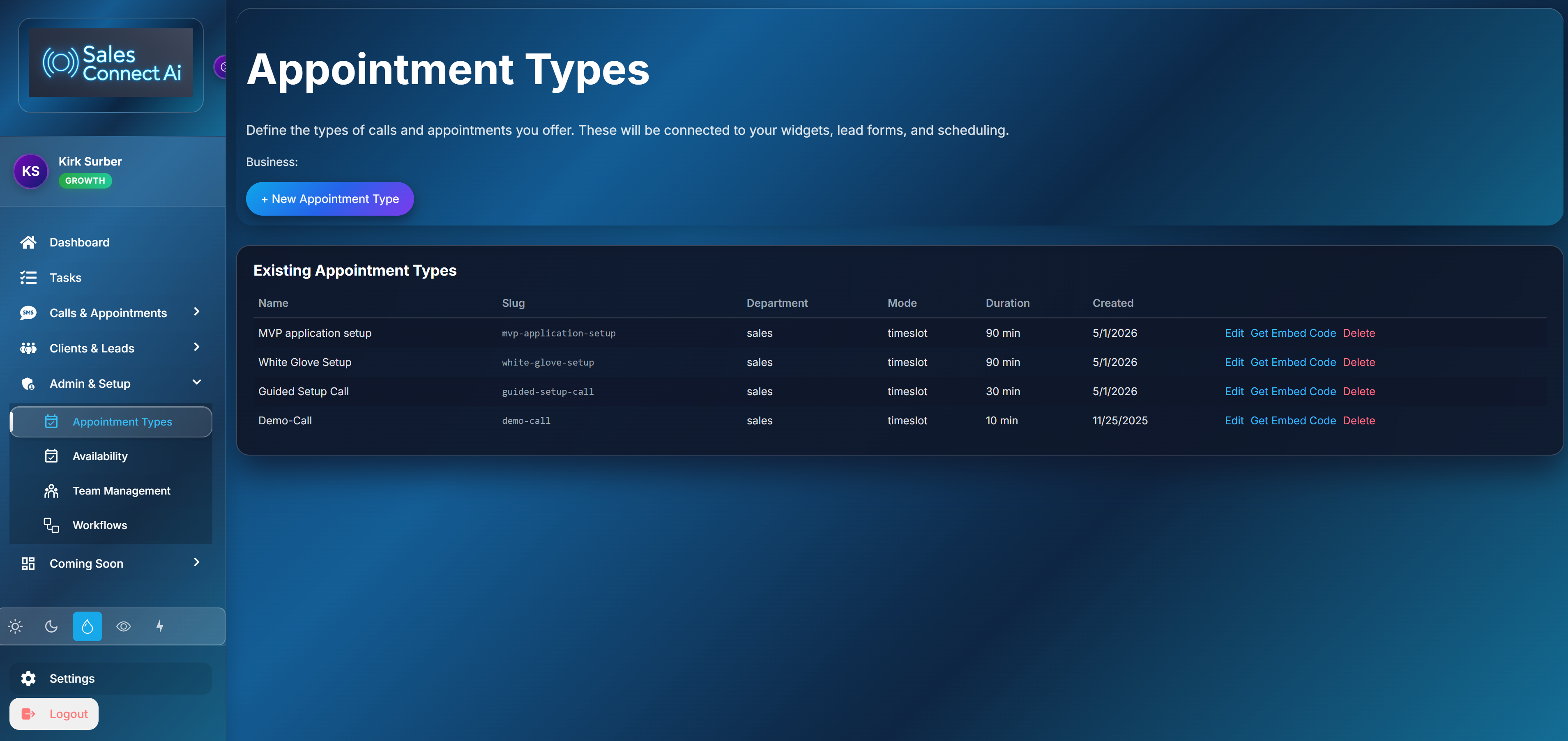
Click Get Embed Code
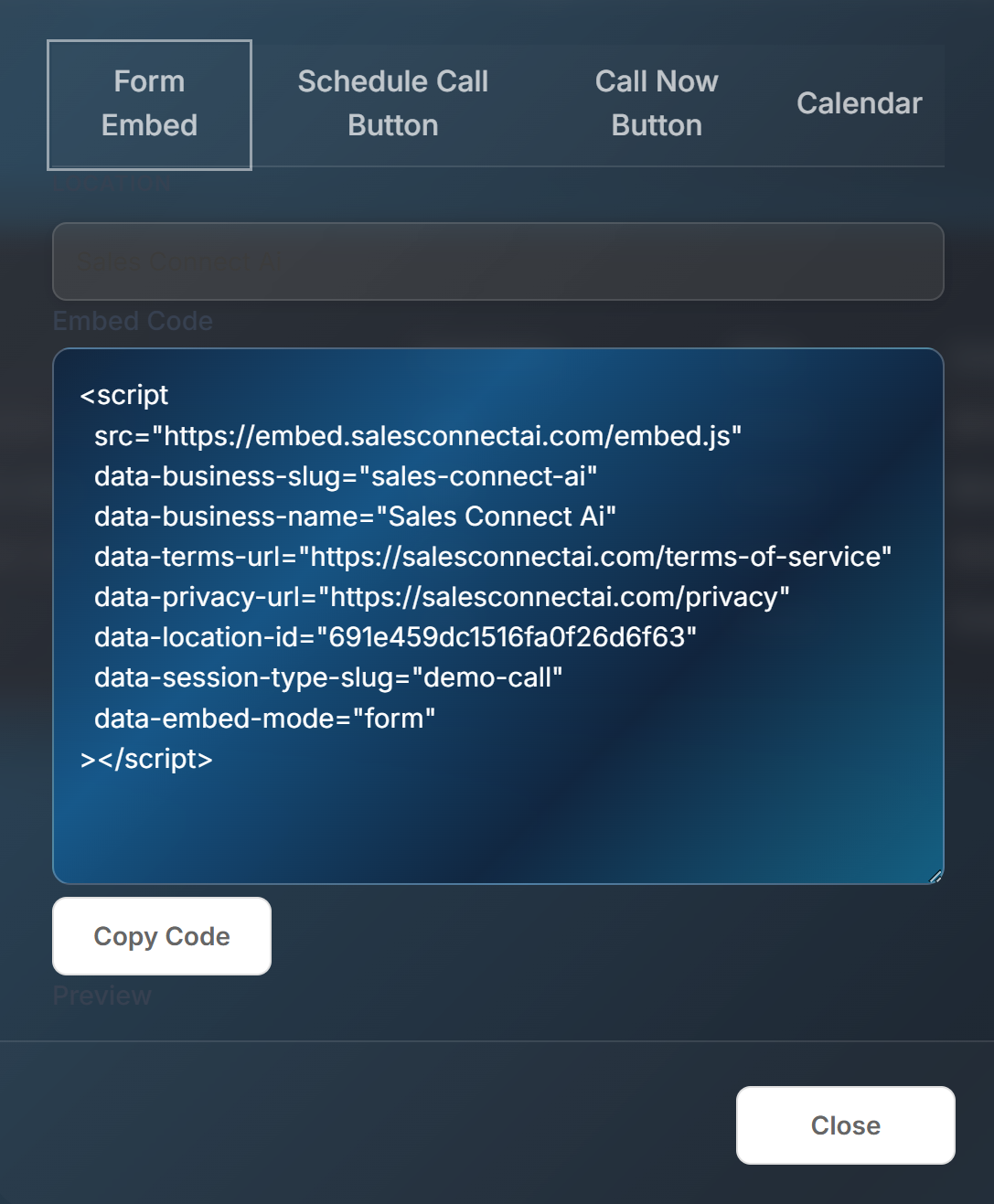
Click the “Get Embed Code” button. A modal will open letting you choose your widget type.

Paste into Wix Custom Code
Copy the snippet. In Wix, go to Settings → Custom Code. Click “Add Code”, paste it, set Body - End, apply to All Pages.
Placement options
Choose where the widget appears on your Wix site
Site-wide (Custom Code)
Settings → Custom Code puts the button on every page automatically. Best for businesses that want to be reachable from anywhere.
Single page (HTML Embed)
In the Wix Editor, add an Embed → Custom Element or HTML iframe to a specific page. Good for landing pages or contact pages.
Frequently Asked Questions
Common questions about the Wix integration
Does this work on free plans?
Custom Code requires any Wix Premium plan. The HTML embed method works on all plans but is limited to individual pages.
Will it conflict with Wix Chat?
No. The Sales Connect AI widget operates independently and won't interfere with Wix's built-in chat or other apps.
Can I trigger a callback from Wix Forms?
Yes. Connect Wix Forms to Sales Connect AI via Zapier or a webhook to trigger an instant AI callback when a form is submitted.
Make your Wix site answer calls 24/7
Visitors click, AI answers, leads get captured — all from your Wix site without leaving the page.
Get a Live Demo