Add an AI Receptionist to WordPress
Add a single code snippet to your WordPress site and let visitors connect with your AI receptionist directly from any page. No plugins required.
Get your embed code in 3 clicks
From your Sales Connect AI dashboard, grab the snippet and paste it into WordPress
Go to Appointment Types
In your Sales Connect AI dashboard, navigate to the Appointment Types page.
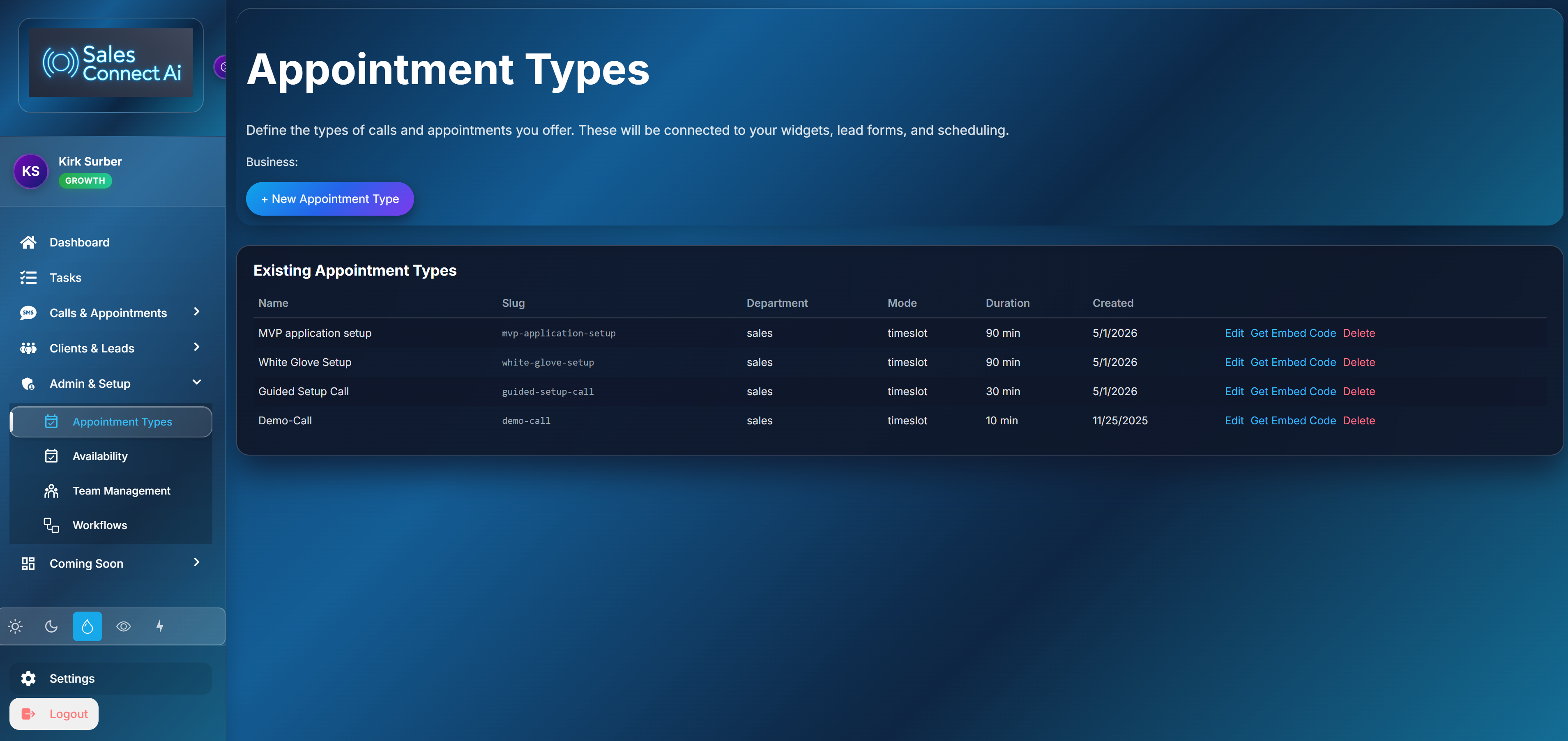
Click Get Embed Code
Click the “Get Embed Code” button. A modal will open letting you choose your widget type.

Copy and paste into WordPress
Copy the generated script and paste it into your WordPress site.
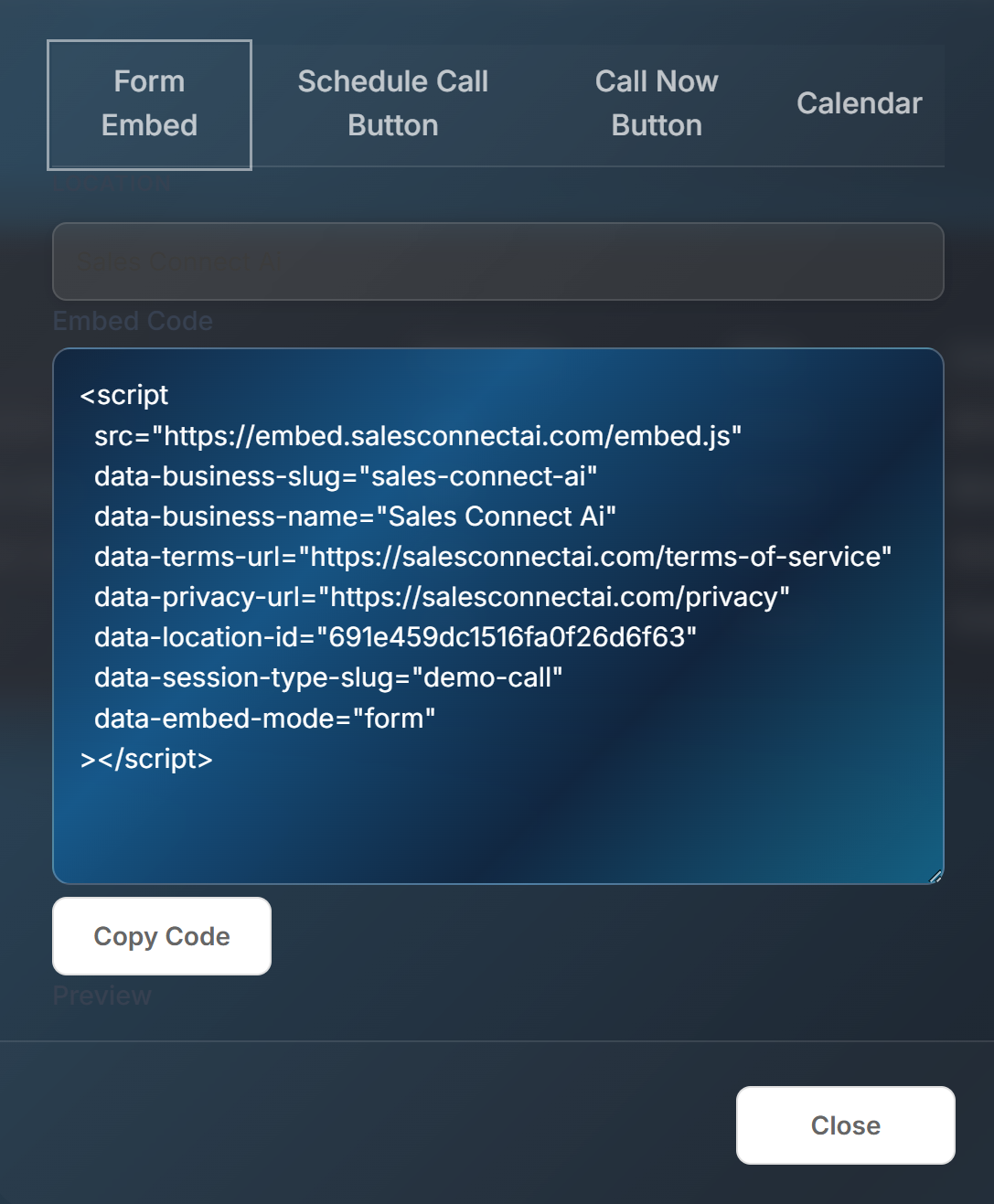
Where to paste it in WordPress
Multiple options depending on your theme and setup
Classic themes
Go to Appearance → Theme Editor → footer.php. Paste the snippet before the closing body tag. Or use the “Insert Headers and Footers” plugin.
Block themes (FSE)
Edit your footer template part in the Site Editor. Add a Custom HTML block and paste the snippet.
Page builders
Elementor, Divi, Beaver Builder — use their HTML or Code widget to place the snippet on specific pages or site-wide.
Placement options
Choose site-wide or specific pages
Site-wide (recommended)
Add to your footer so the button appears on every page. Visitors can always reach your AI no matter where they are on your site.
Specific pages only
Use a Custom HTML block in the WordPress editor to add the widget to specific landing pages, contact pages, or service pages.
Frequently Asked Questions
Do I need a plugin?
No. It's a simple script tag. No WordPress plugin required. Just paste and publish.
Will it slow down my site?
No. The embed script loads asynchronously and is lightweight. It won't affect your page speed scores.
Can I customize the button?
Yes. Choose your widget type in the embed modal — button style, label text, and call-to-action are all configurable.
Turn your WordPress site into a 24/7 receptionist
Visitors click a button, get connected to your AI, and book an appointment — all without leaving your site.
Get a Live Demo